1. Review GPS Coordinates.
2. The GPS Coordinates area allows you to input the location of your DAQ. You can determine your DAQ's location:
- Click
Find GPS Coordinates or
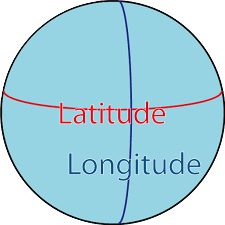 . .
- In the GPSVisualizer website, enter address where the DAQ collects data.
- For example, here is the address for Fermilab: Kirk Road and Pine Street Batavia IL 60510-5011.
- Click "Geocode it."
- Use the second row in the latitude, longitude section (N41° 50.4386', W088° 16.7739'). This is shown in degrees (°) and minutes ('). There are 60 minutes in a degree.
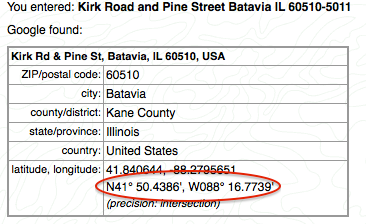
- Enter it like this in the Geometry page: Latitude: 41:50.4386 N, Longitude: 88:16.7739 W.
- The N in latitude indicates that Fermilab is north of the equator, and the W in longitude indicates that
Fermilab is west of the Prime Meridian running through Greenwich, England.
3. Click "Map GPS Coordinates" or  on the Geometry page.
Check on the map that your DAQ shows up in the correct location. on the Geometry page.
Check on the map that your DAQ shows up in the correct location.
|
